Unlock the wonder of coding.
Our apps come pre-loaded with tons of puzzles that make it easy for kids to start coding with Dash, right out of the box. More than learning to code, our apps offer kids an open-ended learning platform that makes STEM knowledge simple and accessible.




Blockly
Blockly introduces fundamental and advanced coding concepts through playful projects and puzzles. Kids learn about coding by exploring variables, events, conditionals, and more.

Wonder
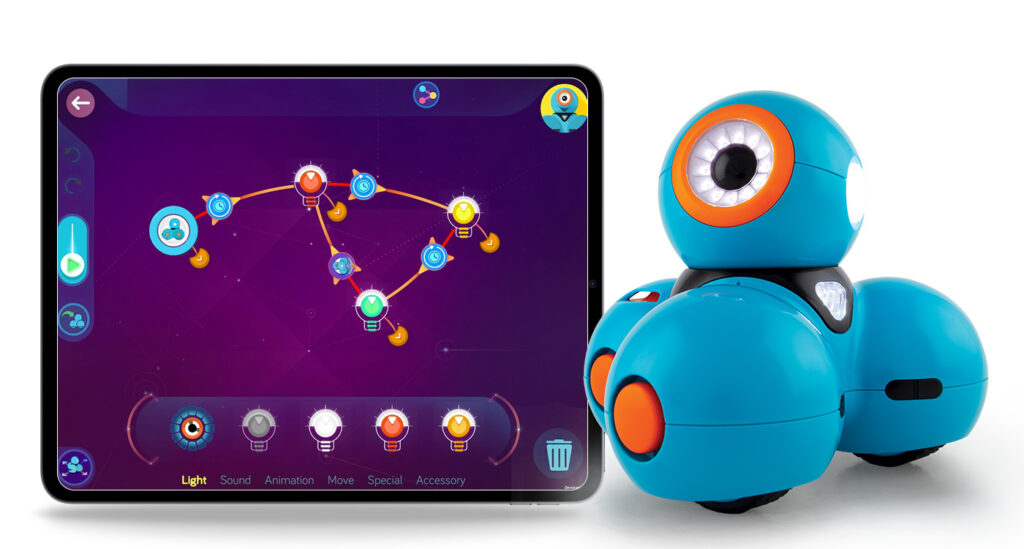
With Wonder, kids create traceable paths of code, which help them see and understand what their robot will do in a more tangible way. Wonder software means that kids can also program the robot to do multiple tasks in parallel.

Blockly Pro
Available on Google Chrome and with a paid Make Wonder subscription, Blockly Pro enables kids to transition from Block-based to JavaScript coding, all while powering Dash.

Make Wonder
Make Wonder includes everything you need to teach coding like a pro, even if it’s your first time. Pre-built lesson plans make building a curriculum a snap. A detailed teacher dashboard lets you create up to 35 student profiles, track daily progress and receive alerts if anyone is falling behind.

Cue App
With the Cue app, kids can program Cue (no longer available to purchase) and experience its unique personalities. Kids solve challenges or write their own programs transitioning from Block-based to JavaScript coding.

Path
With Path, kids can draw a route on their mobile device with their finger and send Dash on journeys around the house or around the block.

Go
Go is the first step to discovering what Dash can do by exploring the robot’s lights, sounds, sensors, and movements. Go functionality is available in the Wonder App

Xylo
Kids have used Xylo with the Xylophone accessory (no longer available for purchase) to program Dash to play a tune.
Frequently Asked Questions
Need help getting one of your apps set up? We got you covered!
Where can I download the apps?
Blockly, Wonder, Path, Go, Xylo and Cue apps are available on the Apple App Store
Blockly, Blockly Pro, and Cue apps are available on Chrome (Web)
Blockly, Wonder, Path, Go, and Xylo are available on the Google Play Store
Is my device compatible?
For a full list of compatible devices, click here.
What languages are the robots and apps available in?
Dash speaks in English, German, Mandarin Chinese, French, Korean, Mandarin Taiwanese, and Spanish.
Blockly and Wonder are in English, French, German, Korean, Spanish, Simplified Chinese, and Traditional Chinese.
Go, Path, and Xylo are available in English only.
Cue and associated apps are only available in English.
How do I switch Dash's language?
You can change Dash's language to one of our supported languages by changing your device’s language settings and then connecting to Dash using either the Wonder or Blockly app.
For Apple iOS devices, go to Settings > General > Language & RegionFor Android devices, go to Settings > Language and Input.Note: the actual selection may vary depending on your Android device model and OS version.
Tap on the Language menu to select (or add) your language of choice.After updating your OS language setting on your device, relaunch the Wonder or Blockly app. If your robot spoke in a different language, connecting to the robot presents an Optional language update to match your recent OS language setting.
Do your apps and robots require an internet connection?
For the initial download and to receive updates, our apps require a wifi or mobile data connection. Some features also require an internet connection.
Dash communicates with your device via Bluetooth. They do not directly connect to the internet.

 English
  German
  Spanish
  French
  Polish
  Dutch
Dutch  Portuguese
  Czech
Czech 

