

Blockly for Dash – On the Web

Deel de post:

With the New Free Tier, Student Profiles Are Available to All Who Set Up a Classroom in Make Wonder (Class Connect).

You may have heard that we are rolling out a bunch of new features in what was called Class Connect – so many new features that we’re renaming it Make Wonder!

This article explains how you can leverage the free tier of Make Wonder to set up student accounts inside of Blockly, allowing them to save work and maintain progress.

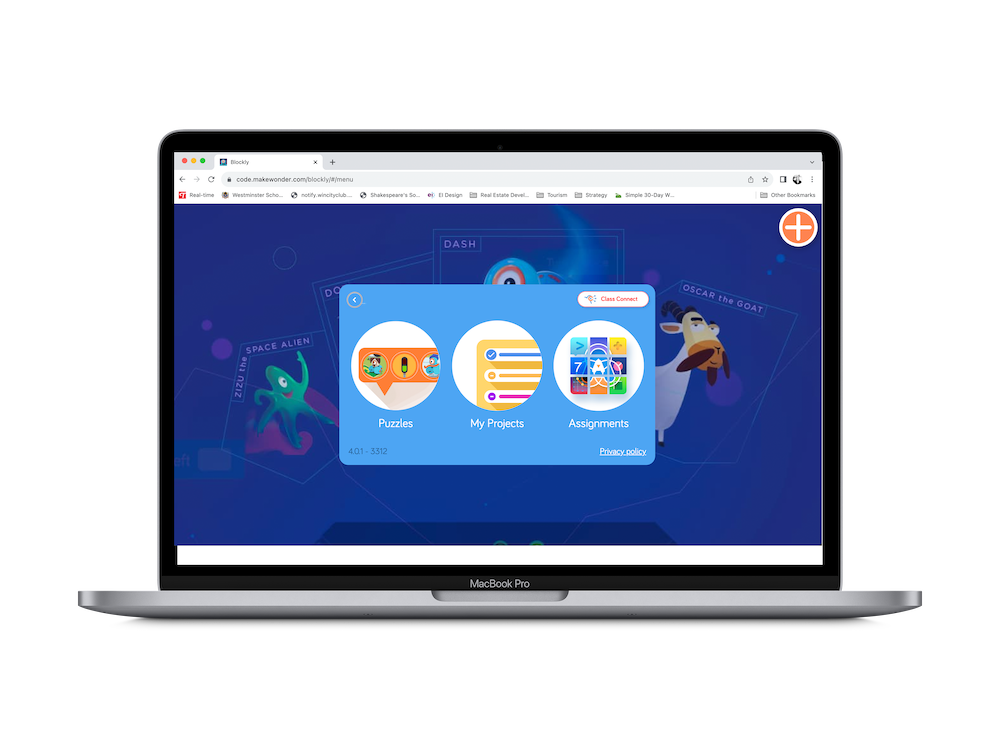
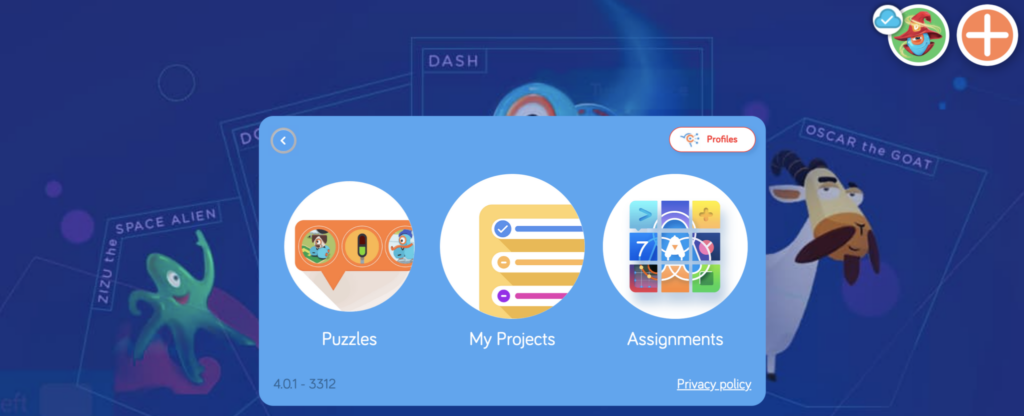
This article also draws attention to the fact that Blockly is not only available for mobile devices. It can be accessed directly on the web (Chrome browser supported).

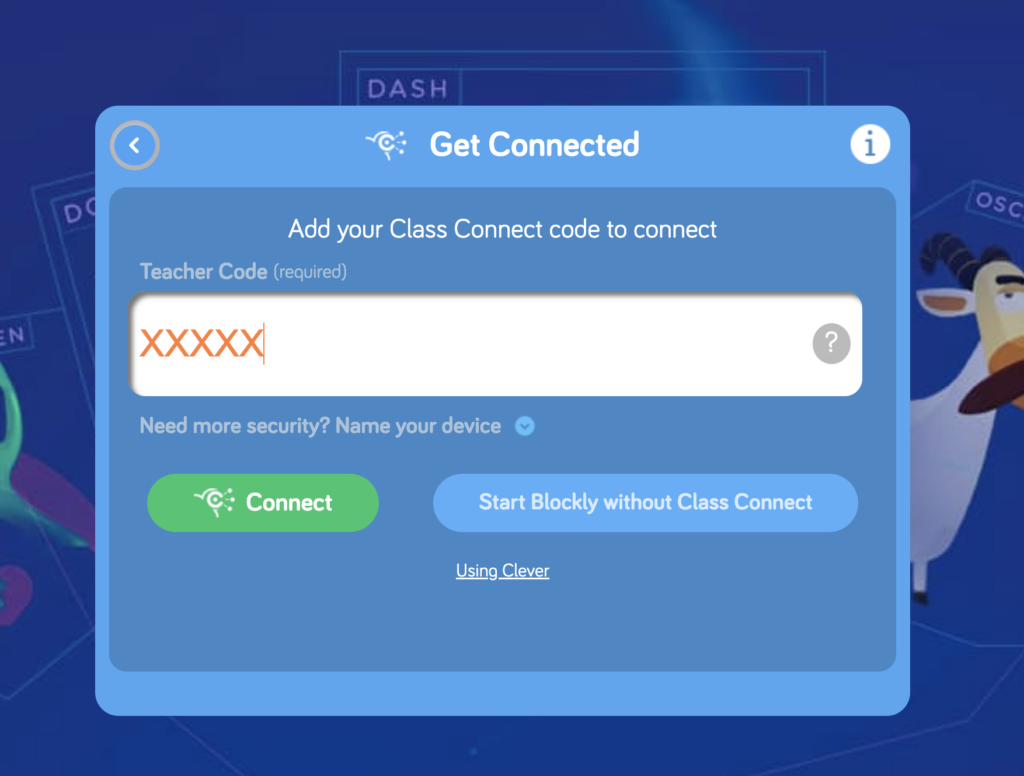
When kids launch Blockly on the web, they need to enter a teacher code to find their profile inside. When they complete puzzles, their progress is saved and the teacher can view that progress inside the Portal!

Ready to get started? Let’s go!

Step 1
Sign Up or Log In

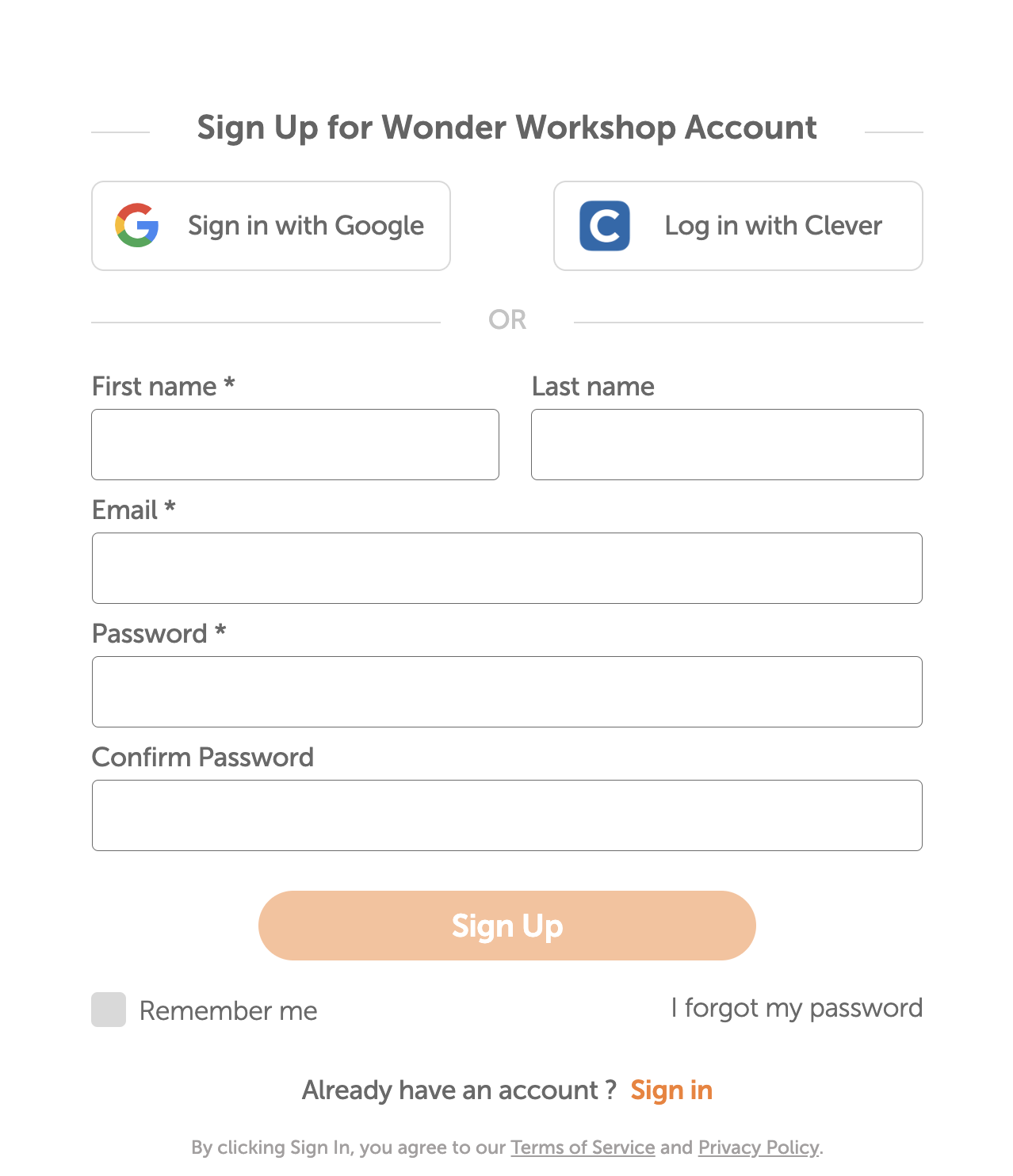
The first step is to make sure that you, the teacher, are logged into the Make Wonder (Class Connect) portal. If you don’t have an account yet, get started by signing up. It’s free and new for this year, it doesn’t expire!

Proceed through the onboarding screens to get your account all set up.

Step 2
Set Up Your Classroom

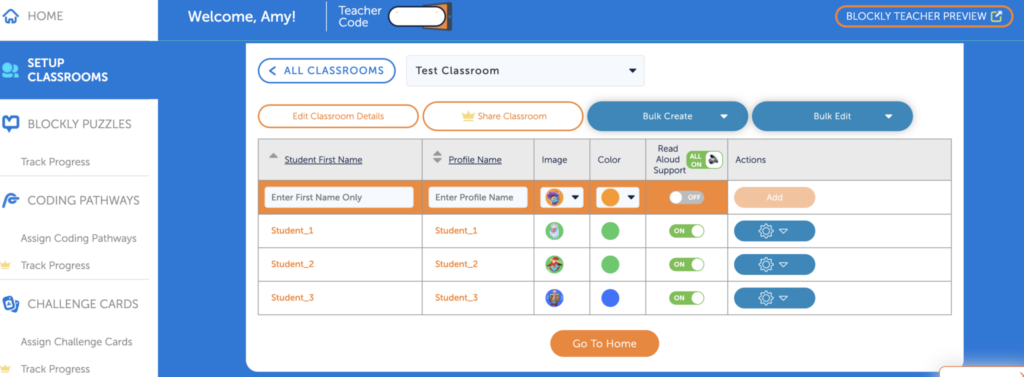
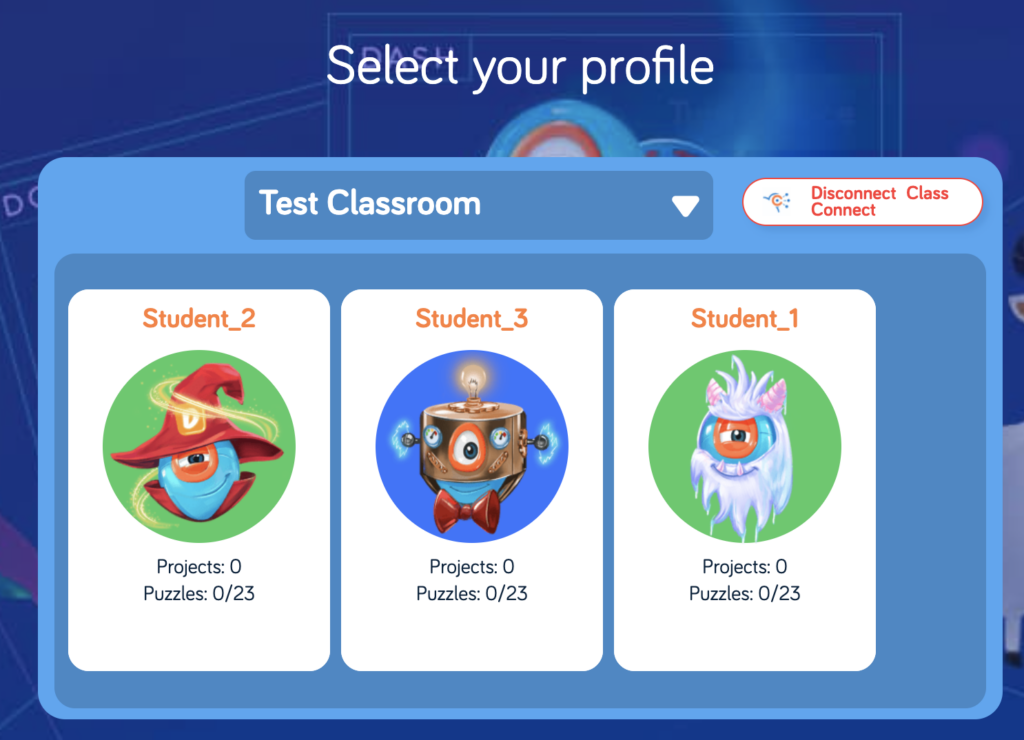
The next step is to set up your classroom. For student names, enter only first names. Also choose a profile name that will be visible inside of Blockly (to students who use your Teacher Code). Kids look for their profile card and then click on it to load their activity and pick up where they left off.

Step 3
Launch Blockly & Enter Your Teacher Code

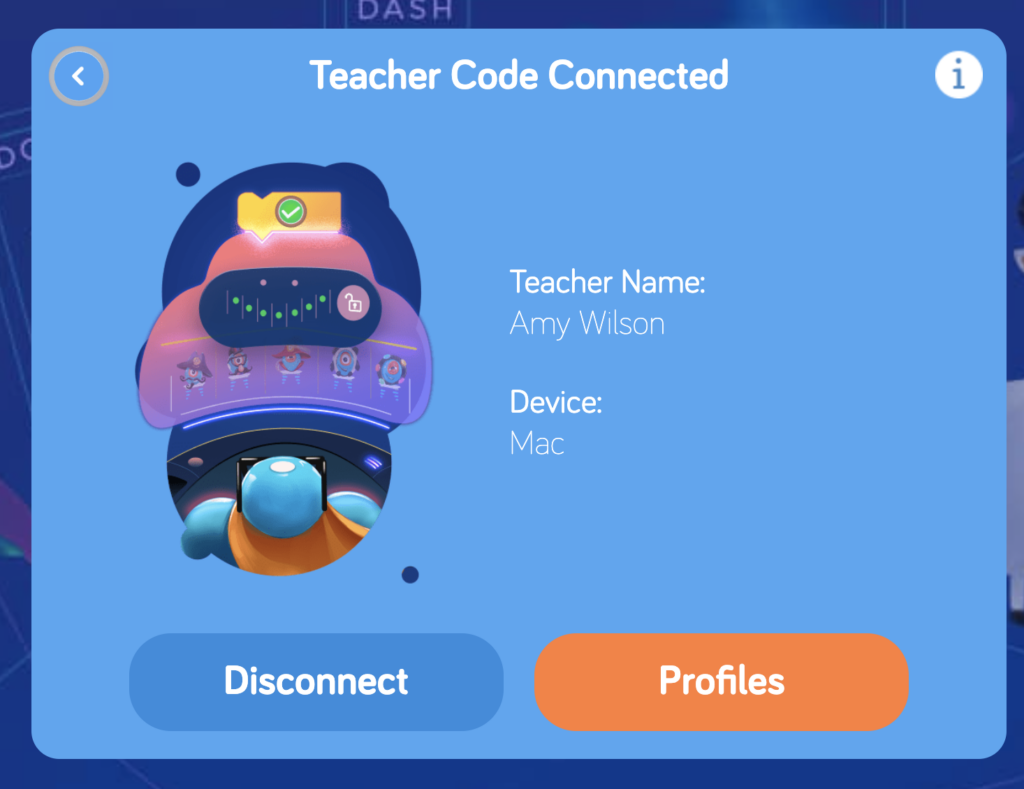
Your Teacher Code can be found just beneath the Navigation Bar in the portal. If you launch Blockly from inside the portal, your Teacher Code will be populated in the field automatically. Students can enter the code manually.

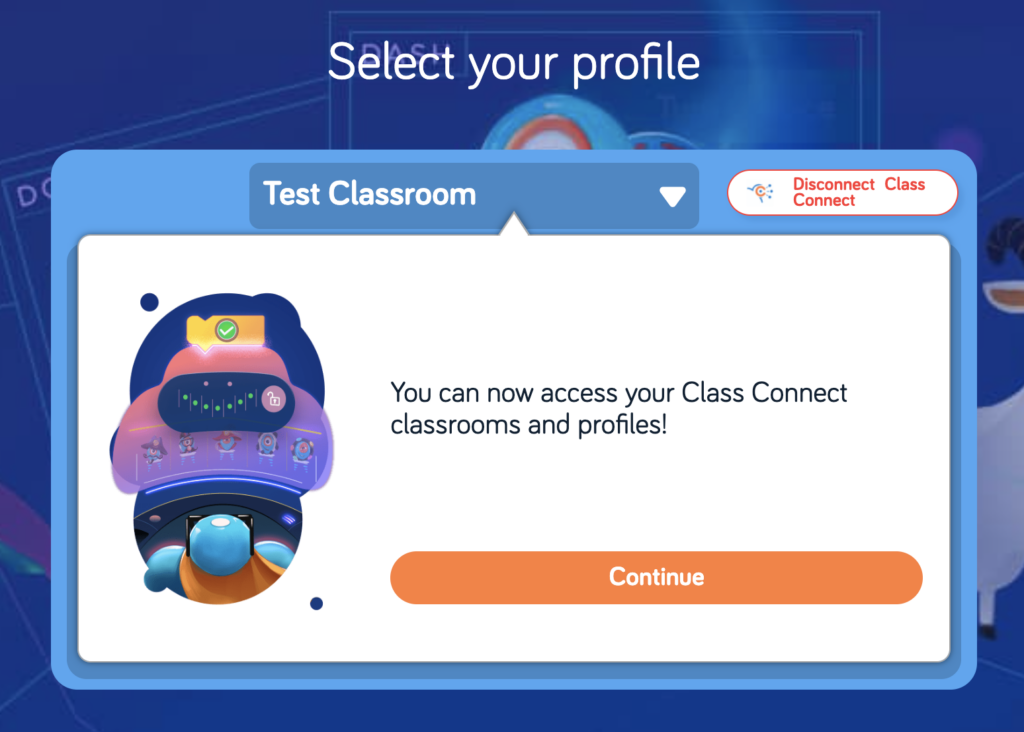
Click through the next screens until you arrive at the Profile Cards. Each student should find their own profile card and click on it to get started or resume. 

Step 4
Students Connect Dash

See that big orange + sign in the upper right hand corner? That’s the button kids push in order to connect Dash to Blockly so they can program the robot.

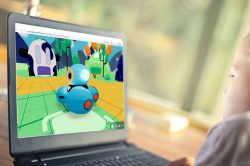
When accessing Blockly with a free Make Wonder (Class Connect) Teacher account, students need a physical Dash to program. The full Make Wonder license provides a Virtual Dash right inside of the Blockly App.

virtualrobot-scaled-pbtmnks7d1416wcgcyfv9dzzlech2sdiiwewoxbda4
A full Make Wonder license unlocks a Virtual Dash inside of Blockly.

Step 5
Students Start Solving the Puzzles

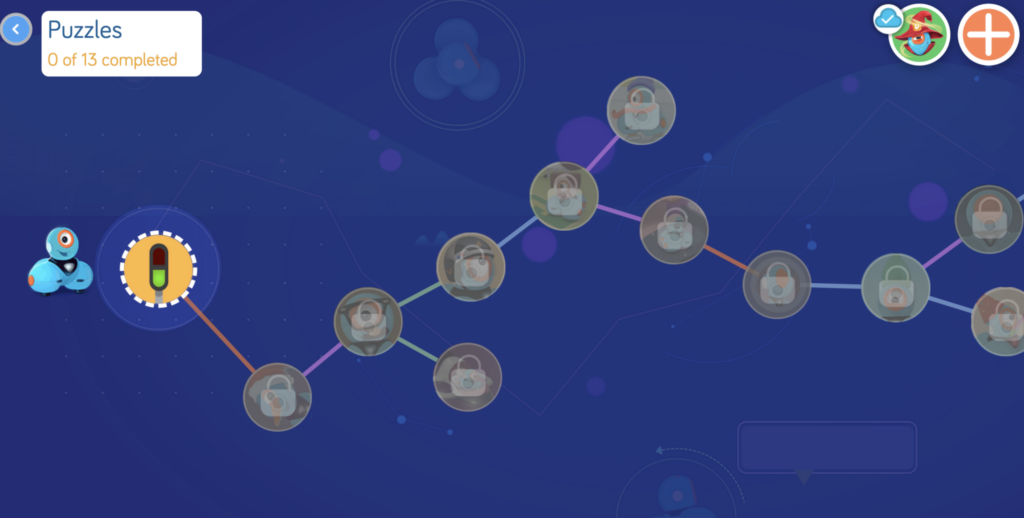
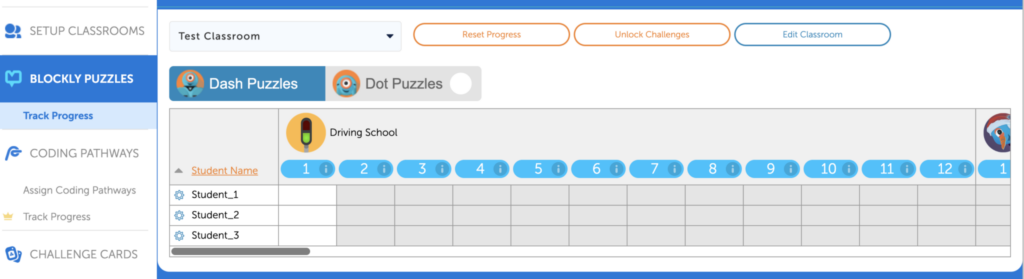
Now students can start their coding journey by tapping on the first icon. Each puzzle builds on the one before it and completing a puzzle unlocks the next one. You can watch your students’ progress through these puzzles in the Make Wonder dashboard!

Student view of the Puzzles
Teacher View of the Progress Tracker

Many additional features are adding to Blockly when you move from Make Wonder Basic, the free tier, to a full Make Wonder subscription.

These additional features make it even easier to teach coding by providing student-facing, multimedia coding lessons, the Virtual Dash, coding challenges that are aligned to Math standards, standards-aligned Challenge Cards and more. To see how these features fit into a Make Wonder subscription, click around inside of the Basic subscription and preview them. 

For more tips and tricks, join our Global Educator Community on Facebook!

Or sign up to attend one of our webinars!

VAKANTIE 2025

Geef het geschenk van verwondering

Bespaar gedurende een beperkte tijd met een cadeau, Dash of Wonder verpakking.

Uitverkoop verlengd tot 18 dec 2025!

Beste opvoeder,

We willen je laten weten dat er een prijsaanpassing komt voor de hardware van Wonder Workshop, met ingang van 9 oktober 2025.

Als gevolg van een tariefsverhoging van 19% op import uit de Filippijnen zijn onze kosten aanzienlijk gestegen. We beseffen dat de schoolbudgetten krap zijn en deze beslissing is niet zomaar genomen. Deze aanpassingen compenseren de hogere kosten slechts gedeeltelijk.

Om producten en ondersteuning van hoge kwaliteit te kunnen blijven leveren, voeren we de volgende wijzigingen door:

  • Lanceerder: $29,99 → $34,99 MSRP

  • Schets Kit: $39,99 → $44,99 MSRP

  • Grijper: $39,99 → $44,99 MSRP

  • Dash Robot: $179,99 → $189,99 MSRP

  • Wonderverpakking: $269,99 → $289,99 MSRP

  • Dash 12-Pack: $1,795 → $1,895 MSRP

Bundels met software (zoals Make Wonder-abonnementen) blijven ongewijzigd, zodat u kunt profiteren van besparingen die in deze bundels zijn ingebouwd. .

Wat dit voor jou betekent:

  • Alle offertes die voor 1 oktober zijn uitgegeven, worden tot hun vervaldatum tegen de huidige prijzen gehonoreerd.

  • Nieuwe offertes of bestellingen op of na 9 oktober zal de bijgewerkte prijs weergeven.

  • We raden je aan je bestelling in september af te ronden om zeker te zijn van de prijzen van vandaag.

Onze inzet blijft dezelfde: u helpen om coderen en robotica op de meest toegankelijke manier onder de aandacht van uw leerlingen te brengen.

Als je een openstaande offerte hebt of hulp nodig hebt bij het afronden van een bestelling, staat ons team klaar om je te helpen.

Bedankt voor jullie samenwerking en voor alles wat jullie doen om de volgende generatie probleemoplossers te inspireren.

Met vriendelijke groet,
Bryan Miller
Vicevoorzitter strategische groei en onderwijs

SPECIALE AANBIEDING ISTE

Koop Make Wonder STEM Classroom voor slechts $99!

Make Wonder STEM Classroom voorziet 1 leerkracht en 35 leerlingen van een uitgebreide codeer- en robotica-oplossing voor de klassen K-8.

Aanbieding verlengd tot 7 juli 2025!

BLIJF OP DE HOOGTE

Word lid van onze e-maillijst

Krijg toegang tot gratis bronnen, speciale aanbiedingen en de laatste aankondigingen.