



Dash en Launcher Giveaway

Deel de post:

Assign a Coding Pathway in Make Wonder and Enter to Win!

To shine a spotlight on an exciting feature of Make Wonder, we’re awarding a free Dash + Launcher Accessory to one lucky educator, picked randomly from all who assign a Coding Pathway between Nov. 15 and  December 15, 2024. (Free Tier users, there’s a way for you to enter too. Details are at the end of this post). 

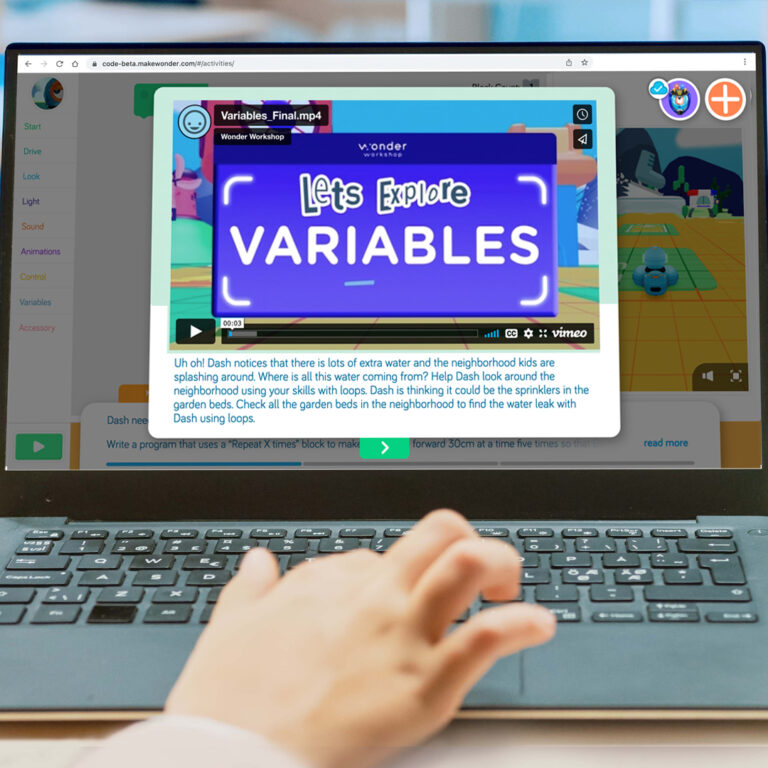
Discover this key feature of a full Make Wonder subscription! Coding Pathways are ready-to-use coding lessons that teach core concepts. Students view instructional videos and tackle step-by-step coding challenges they solve with Blocks that program Virtual Dash right on screen.

With Coding Pathways, you can differentiate instruction by assigning Pathways that match each student’s needs and skill level. Read on to see how to assign a Pathway to entire classroom or to individual students.

How to Assign a Coding Pathway 

  1. Log in to the Make Wonder portal
  2. Navigate to the left side menu and click on the “Assign Coding Pathways” tab
  3. Choose a Coding Level A-F
  4. Click the orange “Assign Pathway” button

5. Pick your classroom

6. Select the students to whom you want to assign the Pathway. You may select the whole class or assign the level to individual students. Each student can only work on one Coding Level (A-F) at a time, but you may assign different levels to individual students within your classrooms based on their skill levels. 

7. Click on the Assign Pathway button

Once you complete these steps, your students can immediately access their assigned Pathway in Blockly and you’ll be entered into the Dash + Launcher Giveaway!

Student View of Coding Pathways 

When your students sign in to Blockly using your teacher code, they will see the assigned Pathway in their Assignments tab. 

Students then make their way through each challenge in their assigned Pathway. Progress is saved in Make Wonder, so students can pick up where they left off the next time they log into Blockly. 

Need Launcher Accessory Inspiration?

Have you used the Launcher accessory in your classroom? We’d love to hear how it went! Share your experience on social media and tag us @wonderworkshop

Check out these videos for fun ways to use the Launcher at home and at school.

Tell Us What Resources You’d Like to See Next

Your feedback helps us create resources and products that better support you and your students. If you have two minutes to spare, let us know your thoughts and ideas!

Giveaway Entry Details

See Regels voor de Giveaway for more details. No purchase is necessary. If you are a user of the Make Wonder Free Tier and are unable to assign a Coding Pathway to students, you can enter this giveaway by completing this form. 

Dear Educator,

We are reaching out to let you know about an upcoming price adjustment on Wonder Workshop hardware, effective October 9, 2025.

Due to a 19% increase in tariffs on imports from the Philippines, our costs have risen significantly. We recognize that school budgets are tight, and this was not a decision made lightly. These adjustments only partially offset the higher costs we are absorbing.

To continue delivering high-quality products and support, we will be making the following changes:

  • Launcher: $29.99 → $34.99 MSRP

  • Sketch Kit: $39.99 → $44.99 MSRP

  • Gripper: $39.99 → $44.99 MSRP

  • Dash Robot: $179.99 → $189.99 MSRP

  • Wonder Pack: $269.99 → $289.99 MSRP

  • Dash 12-Pack: $1,795 → $1,895 MSRP

Bundles that include software (such as Make Wonder subscriptions) will remain unchanged, providing an opportunity to take advantage of savings built into those bundles. .

What this means for you:

  • All quotes issued before October 1 will be honored at current pricing through their expiration date.

  • Any new quotes or orders placed on or after October 9 will reflect the updated pricing.

  • We encourage you to complete your order in September to secure today’s prices.

Our commitment remains the same: helping you bring coding and robotics to your students in the most accessible way possible.

If you have an open quote or need help finalizing an order, our team is here to assist you.

Thank you for your partnership and for all you do to inspire the next generation of problem solvers.

Sincerely,
Bryan Miller
Vice President Strategic Growth & Education Outreach

SPECIALE AANBIEDING ISTE

Koop Make Wonder STEM Classroom voor slechts $99!

Make Wonder STEM Classroom voorziet 1 leerkracht en 35 leerlingen van een uitgebreide codeer- en robotica-oplossing voor de klassen K-8.

Aanbieding verlengd tot 7 juli 2025!

BLIJF OP DE HOOGTE

Word lid van onze e-maillijst

Krijg toegang tot gratis bronnen, speciale aanbiedingen en de laatste aankondigingen.