



Uma atualização importante da Wonder Workshop: A MORAVIA Education, Inc. adquiriu os activos da Wonder Workshop. Saber mais →

Blockly for Dash – On the Web

Partilhar a publicação:

With the New Free Tier, Student Profiles Are Available to All Who Set Up a Classroom in Make Wonder (Class Connect).

You may have heard that we are rolling out a bunch of new features in what was called Class Connect – so many new features that we’re renaming it Make Wonder!

This article explains how you can leverage the free tier of Make Wonder to set up student accounts inside of Blockly, allowing them to save work and maintain progress.

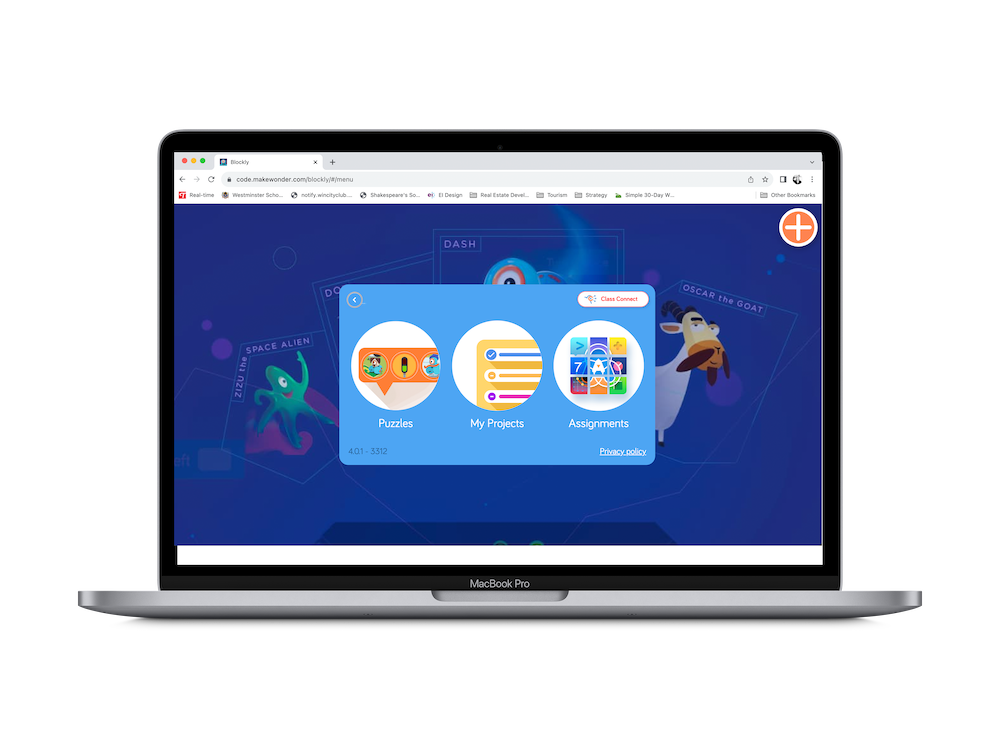
This article also draws attention to the fact that Blockly is not only available for mobile devices. It can be accessed directly on the web (Chrome browser supported).

When kids launch Blockly on the web, they need to enter a teacher code to find their profile inside. When they complete puzzles, their progress is saved and the teacher can view that progress inside the Portal!

Ready to get started? Let’s go!

Passo 1
Sign Up or Log In

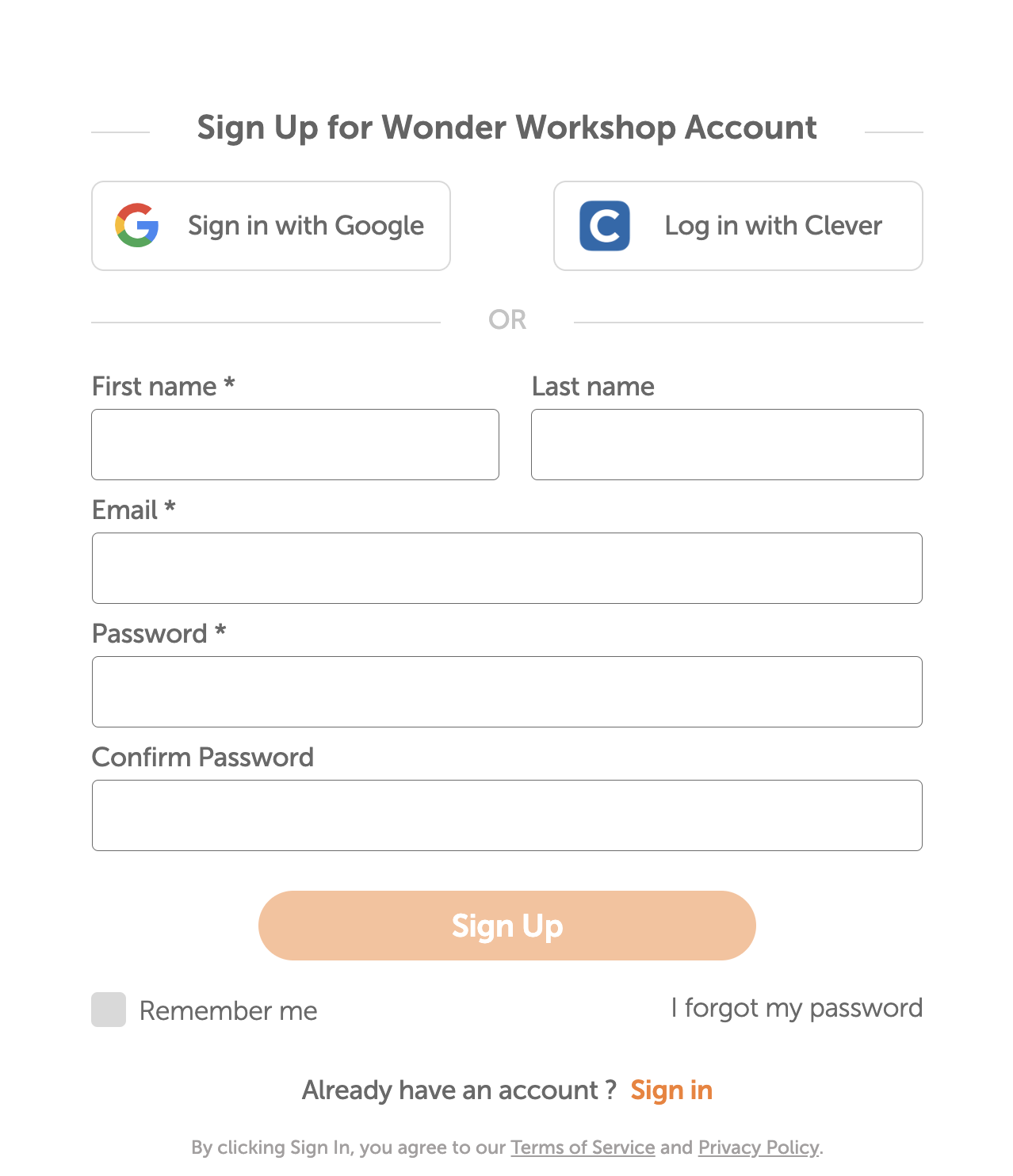
The first step is to make sure that you, the teacher, are logged into the Make Wonder (Class Connect) portal. If you don’t have an account yet, get started by signing up. It’s free and new for this year, it doesn’t expire!

Proceed through the onboarding screens to get your account all set up.

Passo 2
Set Up Your Classroom

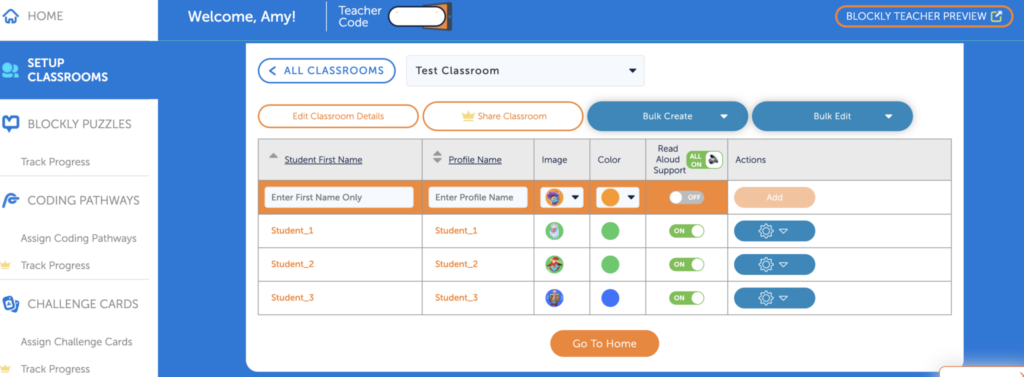
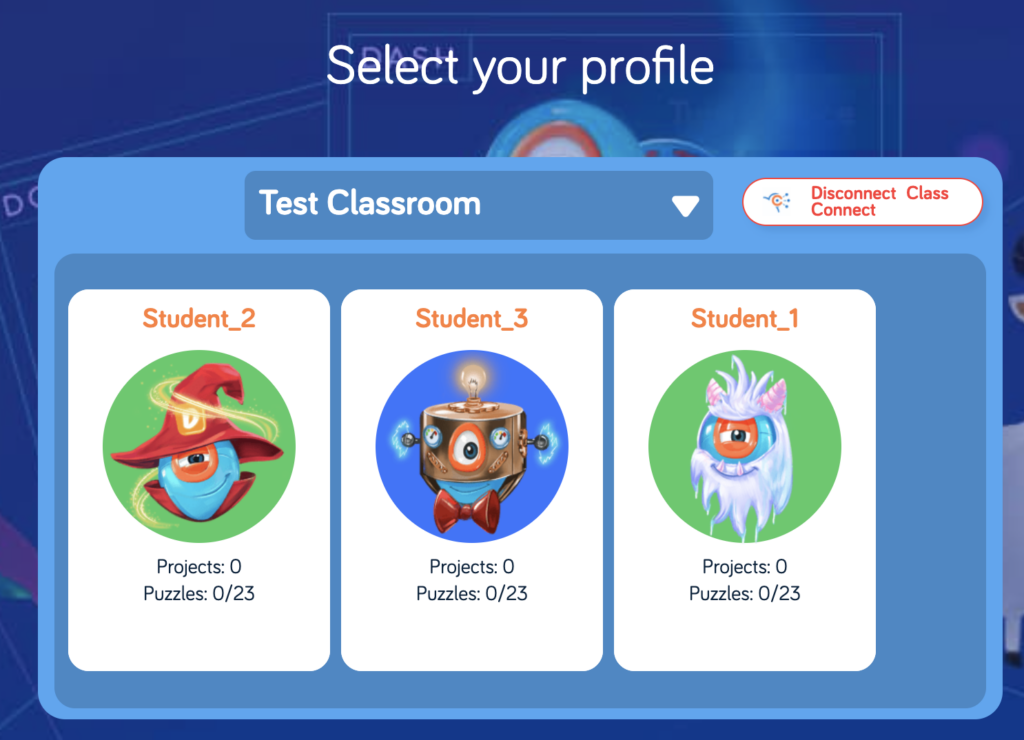
The next step is to set up your classroom. For student names, enter only first names. Also choose a profile name that will be visible inside of Blockly (to students who use your Teacher Code). Kids look for their profile card and then click on it to load their activity and pick up where they left off.

Passo 3
Launch Blockly & Enter Your Teacher Code

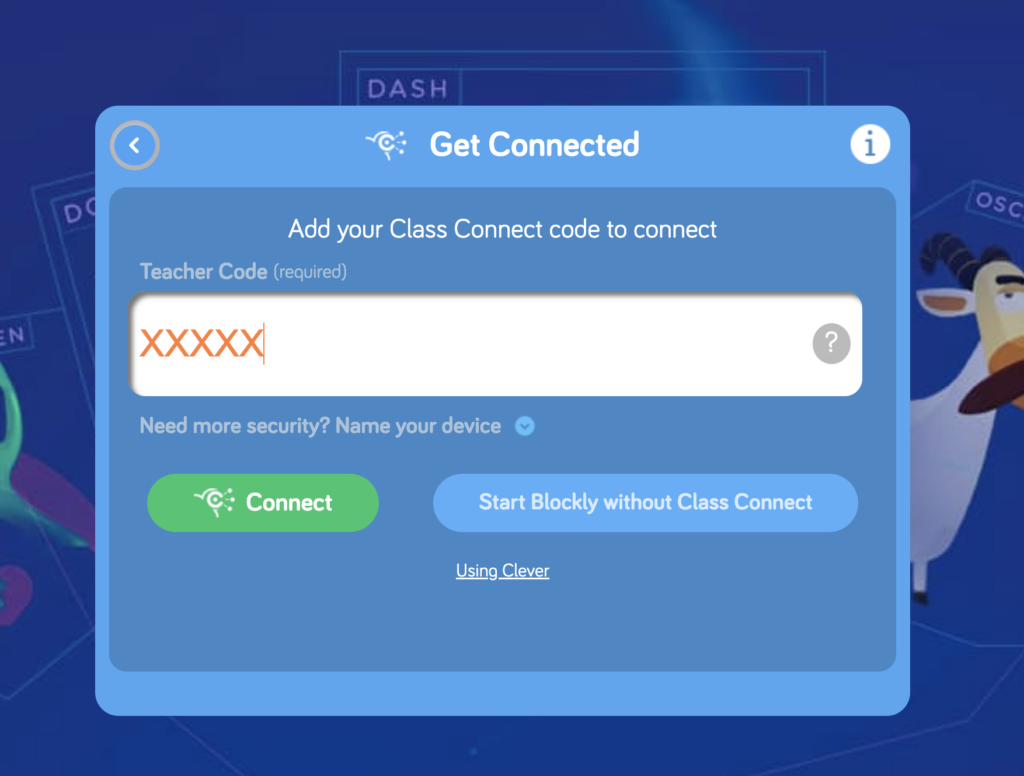
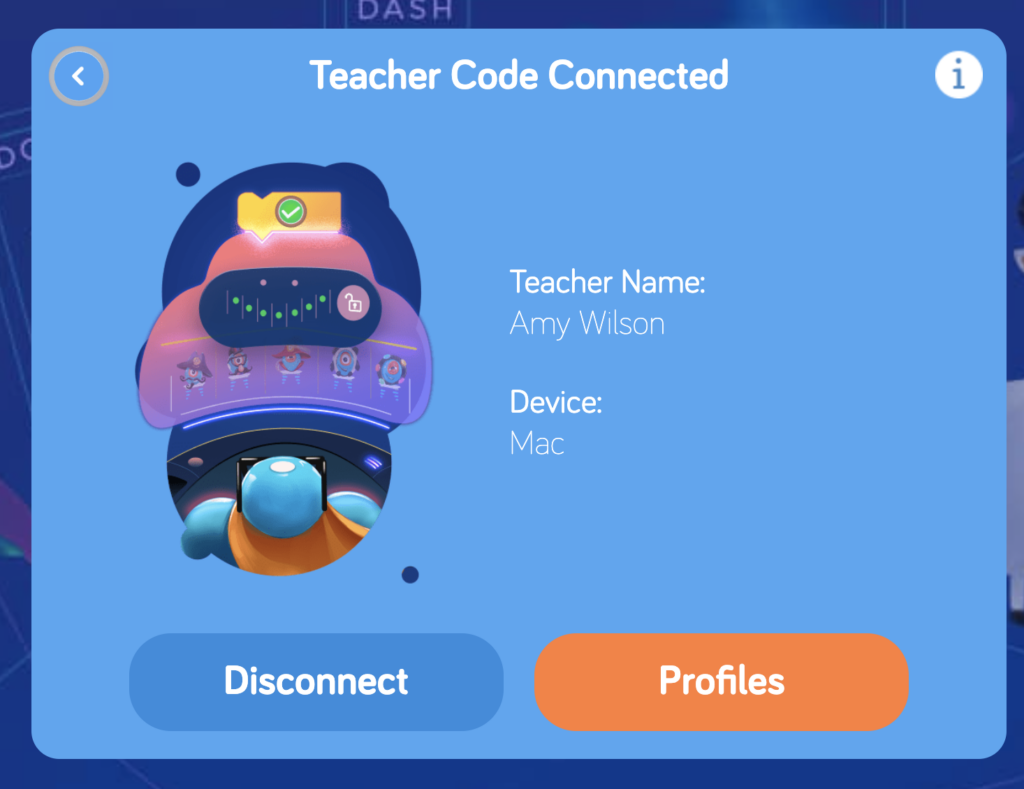
Your Teacher Code can be found just beneath the Navigation Bar in the portal. If you launch Blockly from inside the portal, your Teacher Code will be populated in the field automatically. Students can enter the code manually.

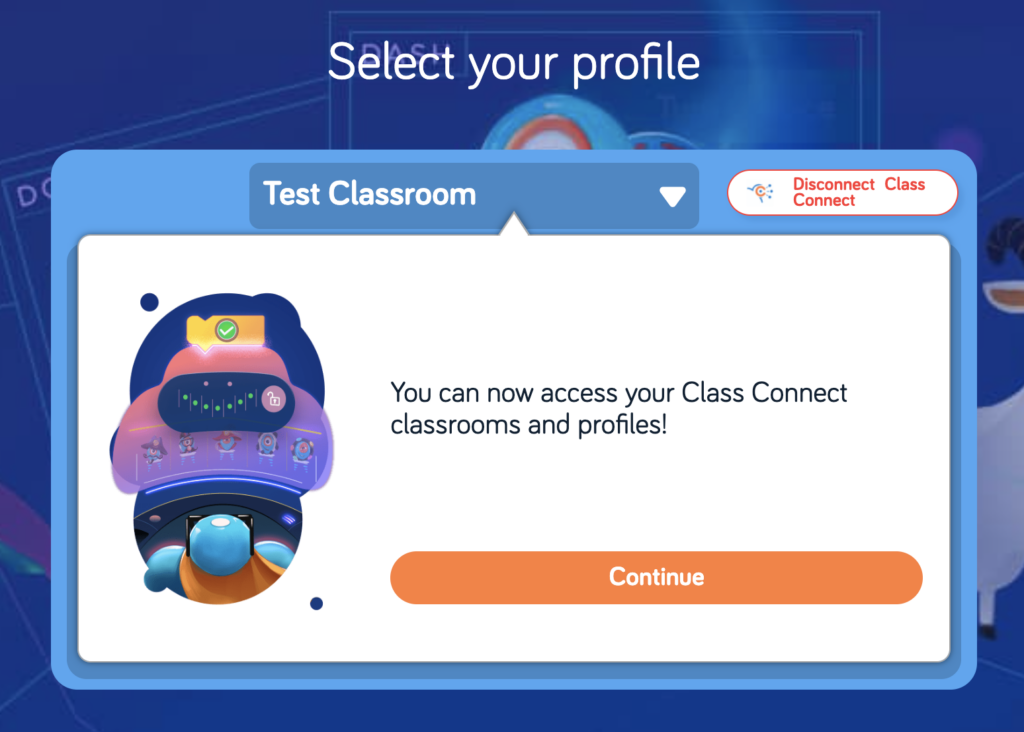
Click through the next screens until you arrive at the Profile Cards. Each student should find their own profile card and click on it to get started or resume. 

Step 4
Students Connect Dash

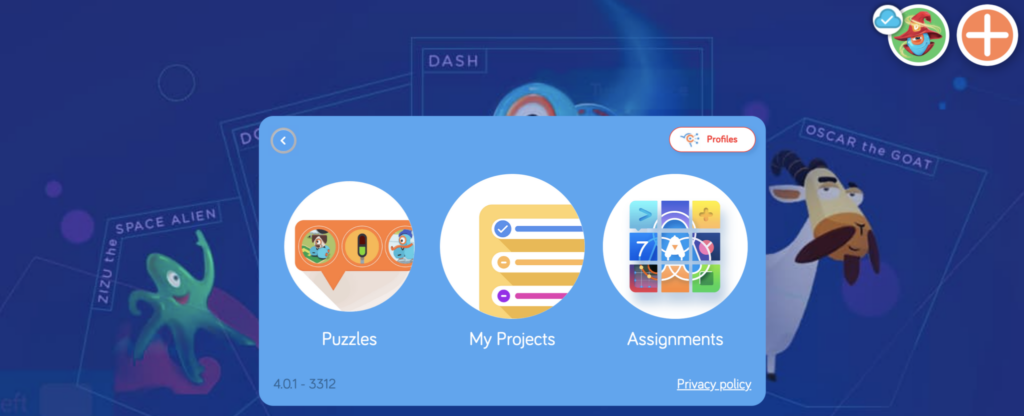
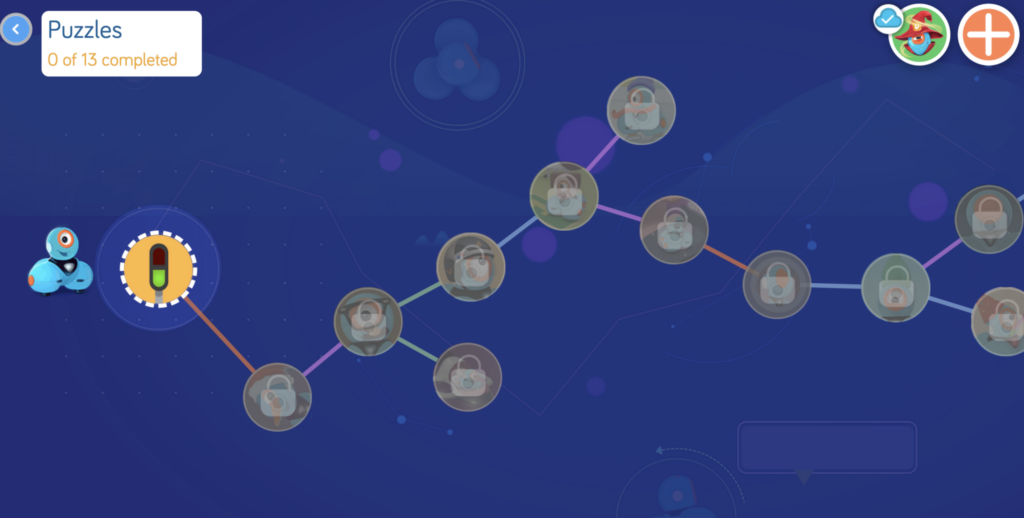
See that big orange + sign in the upper right hand corner? That’s the button kids push in order to connect Dash to Blockly so they can program the robot.

When accessing Blockly with a free Make Wonder (Class Connect) Teacher account, students need a physical Dash to program. The full Make Wonder license provides a Virtual Dash right inside of the Blockly App.

virtualrobot-scaled-pbtmnks7d1416wcgcyfv9dzzlech2sdiiwewoxbda4
A full Make Wonder license unlocks a Virtual Dash inside of Blockly.

Step 5
Students Start Solving the Puzzles

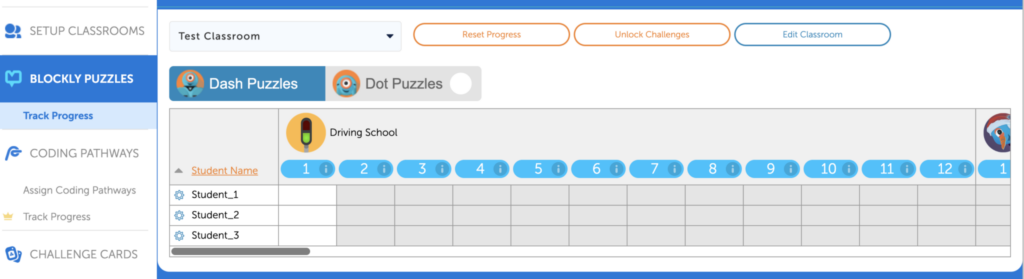
Now students can start their coding journey by tapping on the first icon. Each puzzle builds on the one before it and completing a puzzle unlocks the next one. You can watch your students’ progress through these puzzles in the Make Wonder dashboard!

Student view of the Puzzles
Teacher View of the Progress Tracker

Many additional features are adding to Blockly when you move from Make Wonder Basic, the free tier, to a full Make Wonder subscription.

These additional features make it even easier to teach coding by providing student-facing, multimedia coding lessons, the Virtual Dash, coding challenges that are aligned to Math standards, standards-aligned Challenge Cards and more. To see how these features fit into a Make Wonder subscription, click around inside of the Basic subscription and preview them. 

For more tips and tricks, join our Global Educator Community on Facebook!

Or sign up to attend one of our webinars!

FÉRIAS 2025

Dar a prenda da maravilha

Por um período limitado, poupe muito ao oferecer um presente, Traço ou Pacote maravilha.

Venda prolongada até 18 de dezembro de 2025!

Caro educador,

Estamos a informar-vos de um próximo ajustamento de preços no hardware da Wonder Workshop, com efeito 9 de outubro de 2025.

Devido a um aumento de 19% nos direitos aduaneiros sobre as importações das Filipinas, os nossos custos aumentaram significativamente. Reconhecemos que os orçamentos escolares são apertados e esta não foi uma decisão tomada de ânimo leve. Estes ajustamentos apenas compensam parcialmente os custos mais elevados que estamos a absorver.

Para continuar a fornecer produtos e apoio de alta qualidade, iremos efetuar as seguintes alterações:

  • Lançador: $29.99 → $34.99 MSRP

  • Kit de esboço: $39.99 → $44.99 MSRP

  • Pinça: $39.99 → $44.99 MSRP

  • Robô Dash: $179.99 → $189.99 MSRP

  • Pacote Maravilha: $269.99 → $289.99 MSRP

  • Dash 12-Pack: $1,795 → $1,895 MSRP

Os pacotes que incluem software (como as subscrições da Make Wonder) manter-se-ão inalterados, proporcionando uma oportunidade de tirar partido das poupanças incorporadas nesses pacotes. .

O que isto significa para si:

  • Todos os orçamentos emitidos antes de 1 de outubro serão honrados ao preço atual até à data de expiração.

  • Quaisquer novas cotações ou encomendas efectuadas em ou após 9 de outubro reflectirá os preços actualizados.

  • Aconselhamo-lo a concluir a sua encomenda em setembro para garantir os preços actuais.

O nosso compromisso continua a ser o mesmo: ajudá-lo a levar a programação e a robótica aos seus alunos da forma mais acessível possível.

Se tiver um orçamento em aberto ou precisar de ajuda para finalizar uma encomenda, a nossa equipa está aqui para o ajudar.

Obrigado pela vossa parceria e por tudo o que fazem para inspirar a próxima geração de solucionadores de problemas.

Com os melhores cumprimentos,
Bryan Miller
Vice-Presidente para o Crescimento Estratégico e a Educação

OFERTA ESPECIAL ISTE

Adquira o Make Wonder STEM Classroom por apenas $99!

A sala de aula STEM da Make Wonder equipa 1 professor e 35 alunos com uma solução abrangente de codificação e robótica para os graus K-8.

Oferta prolongada até 7 de julho de 2025!

MANTER-SE INFORMADO

Junte-se à nossa lista de correio eletrónico

Obtenha acesso a recursos gratuitos, promoções especiais e todos os anúncios mais recentes.