






Ein wichtiges Update von Wonder Workshop: MORAVIA Education, Inc. hat die Vermögenswerte von Wonder Workshop erworben. Mehr erfahren →

Aufbruch in die Urlaubsfreude: Einfache Tipps für Unboxing und Einstieg

Teilen Sie den Beitrag:

Wrapping paper is flying, eyes are sparkling, and excited laughter fills the room as your child finally meets Dash! Christmas morning is all about magic, and with Dash you can skip the stressful setup so your child can dive right into their coding adventure.

We want to make it easy for you to focus on what matters most: being present for the moment your child’s imagination takes off. 

Open and Play

Dash arrives fully assembled, charged, and ready to roll (literally), so no need to sneak in to charge Dash or search for screwdrivers or batteries. 

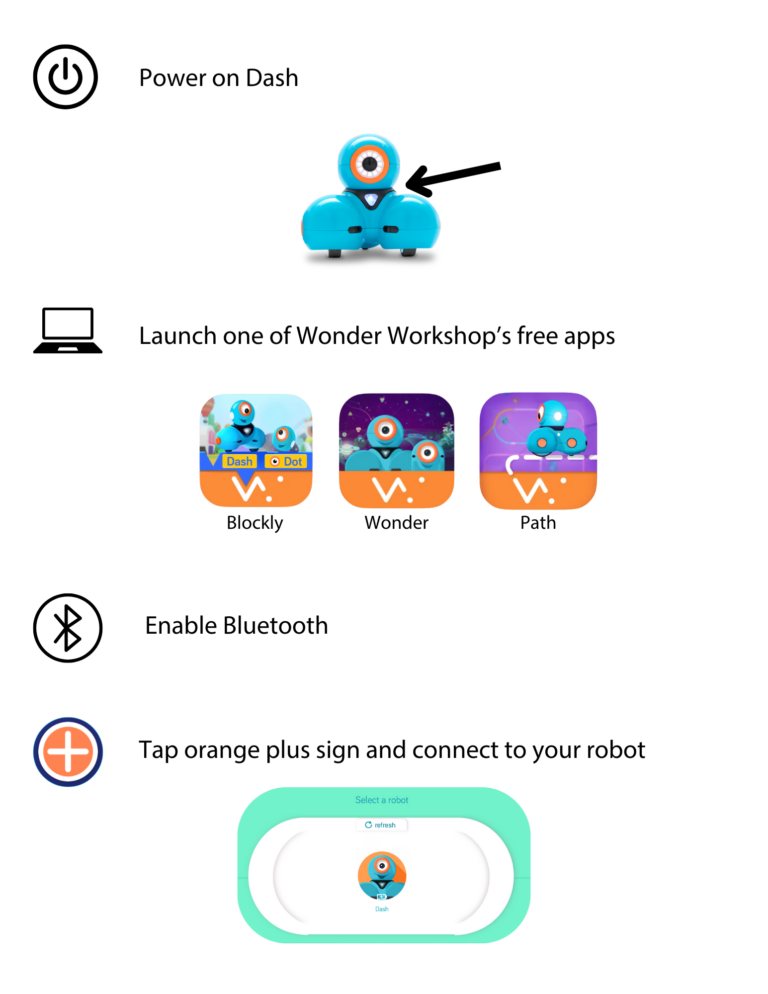
Make sure Dash is on the floor when powering on—Dash loves to dance around! Giving plenty of space will allow for smoother play.

Free App Downloads

For an even easier morning, download any of the free Wonder Workshop apps in advance. Blockly is our core app with tons of puzzles inside for kids to solve that orient them to how to dive in with Dash.

With Wonder, kids create traceable paths of code, which help them see and understand what their robot will do.

The Path app is for younger kids who may not yet be ready for coding. In the app kids can draw a route on their mobile device with their finger and send Dash on journeys around the house

Blockly App
Wonder App
Path App

Pairing Dash with Your Device

Have a charged device (i.e. laptop or iPad) on hand to make pairing with Dash seamless.  See list of compatible devices for more information. 

Bonus points for signing up for a free Make Wonder account (optional, but worth it). It gives you a backstage pass to your child’s learning, letting you track their progress, access solutions, discover new activiites, and unlock future levels in Blockly puzzles.

Care and Keeping of Dash

Dash is ready to go right out of the box, but to keep the fun going, be sure to plug in between uses so that Dash will be fully charged and ready for the next adventure.

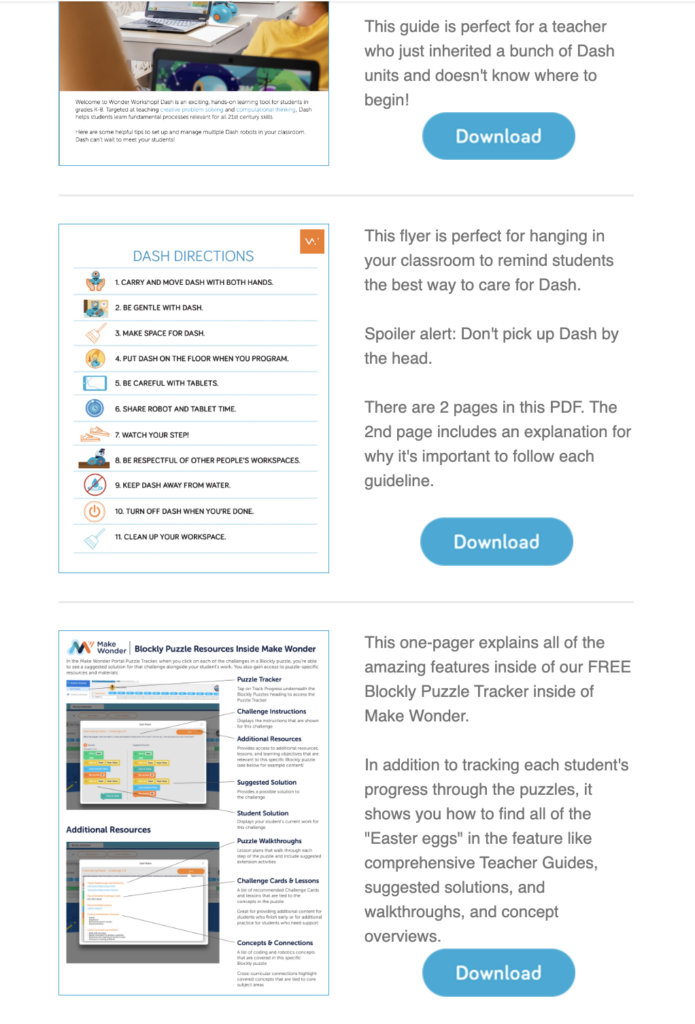
Download our expert tips for taking care of Dash and pop on this quick video —perfect for your kids to watch while you sip your morning coffee! These simple steps will keep Dash running smoothly as a learning companion for years to come.

How to Change Dash's Name

Give Dash a personal touch! Your child can make their robot truly unique by choosing a new name. Check out this quick video for easy steps to customize Dash’s name.

Bring Additional Cheer with this Activity Booklet

When kids are ready for a little downtime, this coloring and activity booklet does the trick. With a word search, maze, and coloring pages, they can spend a little time in Dash’s magic holiday world in a relaxed way.

More Helpful Links

  • When the holiday frenzy slows down, keep the fun going with festive activities from our Winter Wonderland blog. It’s packed with winter-themed coding projects and DIY inspiration to keep the magic alive all season long!
  • Device compatibility information 

Abonnieren Sie unseren Newsletter

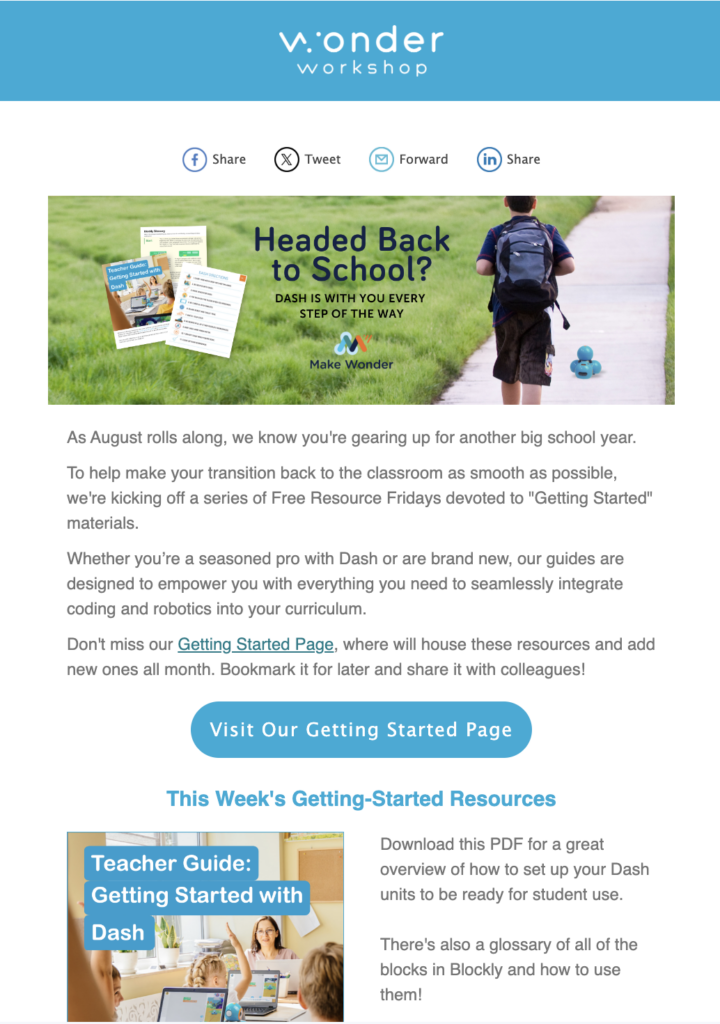
  • Every Friday, we send a newsletter to our community chock full of resources to support STEM learning. You’ll gain access to free resources, tips & tricks, our latest product updates, and much more.
Newsletter screenshot

Follow for More

Head over to @Wunderwerkstatt on Instagram and @wonderworkshopofficial on TikTok for more helpful tips and activity inspiration. 

URLAUB 2025

Schenken Sie das Wunder

Für eine begrenzte Zeit können Sie mit einem Geschenk viel Geld sparen, Dash oder Wunderpackung.

Verkauf verlängert bis 18. Dezember 2025!

Lieber Pädagoge,

Wir möchten Sie über eine bevorstehende Preisanpassung für Wonder Workshop-Hardware informieren, die ab sofort gilt. Oktober 9, 2025.

Aufgrund einer Erhöhung der Zölle auf Einfuhren aus den Philippinen um 19% sind unsere Kosten erheblich gestiegen. Wir sind uns bewusst, dass die Schulbudgets knapp sind, und diese Entscheidung wurde nicht leichtfertig getroffen. Diese Anpassungen gleichen die höheren Kosten, die wir zu tragen haben, nur teilweise aus.

Um weiterhin qualitativ hochwertige Produkte und Unterstützung zu bieten, werden wir die folgenden Änderungen vornehmen:

  • Werfer: $29.99 → $34.99 MSRP

  • Sketch Kit: $39.99 → $44.99 MSRP

  • Greifer: $39.99 → $44.99 MSRP

  • Dash Robot: $179.99 → $189.99 MSRP

  • Wunderpaket: $269.99 → $289.99 MSRP

  • Dash 12-Pack: $1,795 → $1,895 MSRP

Pakete, die Software enthalten (wie Make Wonder-Abonnements), bleiben unverändert und bieten die Möglichkeit, von den in diesen Paketen enthaltenen Einsparungen zu profitieren. .

Was das für Sie bedeutet:

  • Alle Angebote, die vor dem 1. Oktober ausgestellt wurden, werden bis zu ihrem Ablaufdatum zu den aktuellen Preisen weitergeführt.

  • Alle neuen Angebote oder Aufträge am oder nach dem 9. Oktober wird die aktualisierte Preisgestaltung widerspiegeln.

  • Wir empfehlen Ihnen, Ihre Bestellung im September abzuschließen, um sich die heutigen Preise zu sichern.

Unser Engagement bleibt unverändert: Wir helfen Ihnen dabei, Ihren Schülern Programmier- und Robotikkenntnisse auf möglichst einfache Weise zu vermitteln.

Wenn Sie ein offenes Angebot haben oder Hilfe beim Abschluss einer Bestellung benötigen, ist unser Team für Sie da.

Wir danken Ihnen für Ihre Partnerschaft und für alles, was Sie tun, um die nächste Generation von Problemlösern zu inspirieren.

Mit freundlichen Grüßen,
Bryan Miller
Vizepräsidentin Strategisches Wachstum & Bildung Outreach

ISTE-SONDERANGEBOT

Holen Sie sich Make Wonder STEM Classroom für nur $99!

Make Wonder STEM Classroom stattet 1 Lehrer und 35 Schüler mit einer umfassenden Programmier- und Robotiklösung für die Klassen K-8 aus.

Angebot verlängert bis 7. Juli 2025!

BLEIBEN SIE AUF DEM LAUFENDEN

Tragen Sie sich in unsere E-Mail-Liste ein

Erhalten Sie Zugang zu kostenlosen Ressourcen, Sonderangeboten und allen aktuellen Ankündigungen.